

Resume builder and multiple resumes
On the free Core, a resume is a single Personal Information section and each job seeker has one resume. Pro adds the resume builder, which gives resumes more sections, and multiple resumes, which lets a job seeker keep a different resume for each kind of job.
Resume sections
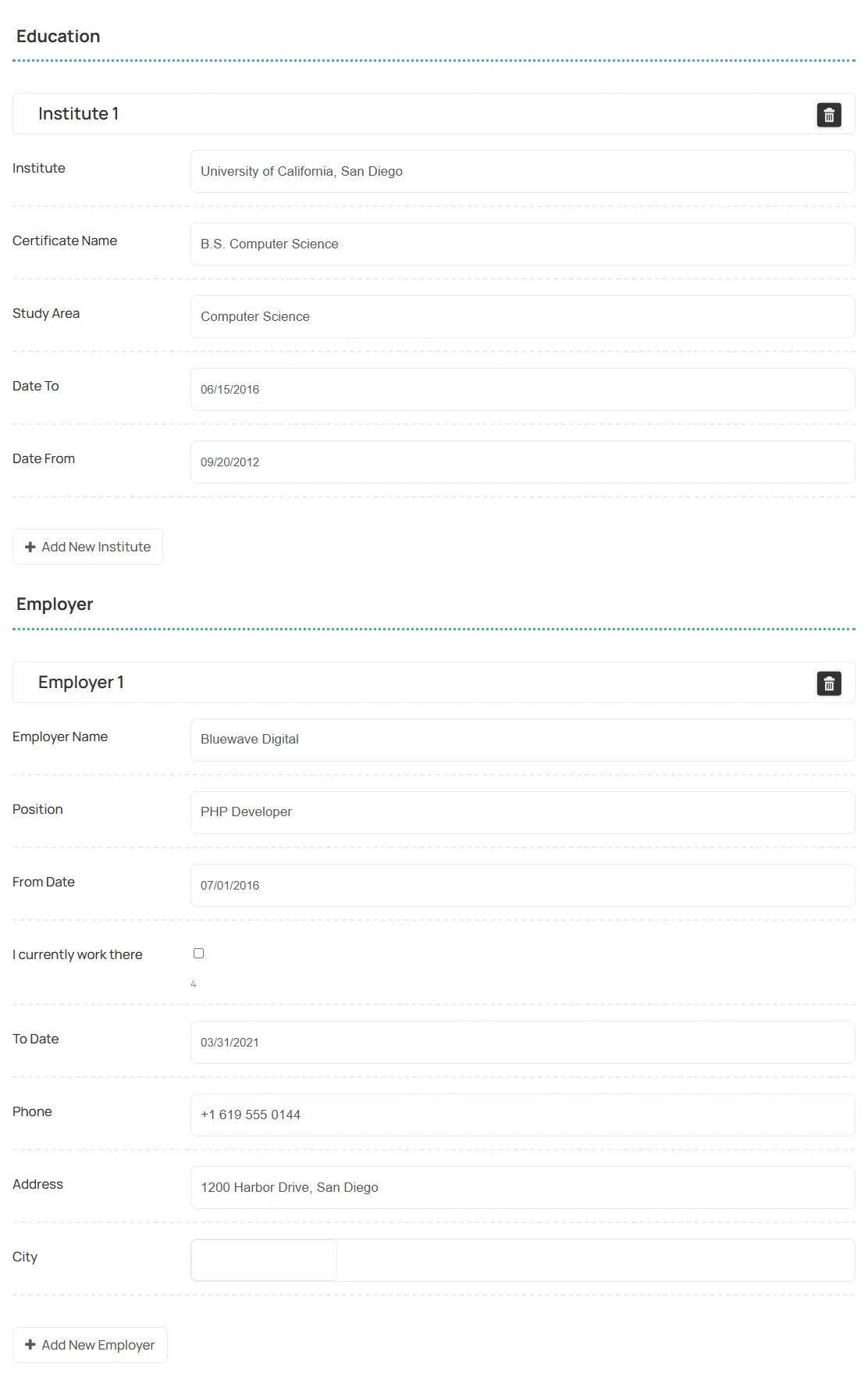
Section titled “Resume sections”With Pro, the resume form has these sections after Personal Information. The names below are the defaults; you can rename them in Resume → Fields.
| Section | What job seekers add |
|---|---|
| Add Address | One or more addresses |
| Education | Schools and institutes |
| Employer | Work history |
| Skills | Their skills |
| Add Language | Languages they speak |
Job seekers can add several entries in most sections, for example one per past employer. With work history filled in, the admin resume list and the applicant list show the candidate’s total experience.
Limit how many entries a section takes
Section titled “Limit how many entries a section takes”-
Go to WP Job Portal → Configuration and open the Resumes tab.
-
Under Resume Files & Builder, set:
Option What it limits Max Employers in Resume Builder Entries in the work history section Max Institutes in Resume Builder Entries in the education section Max Languages in Resume Builder Entries in the language section Max Addresses in Resume Builder Entries in the address section -
Select Save Changes.
The same group also sets the resume photo and document upload limits. See Resumes settings.
Add your own section
Section titled “Add your own section”- Go to WP Job Portal → Resume → Fields.
- Select Add User Field.
- Set Field Type to Resume Section and give it a Field Title.
- Select Save User Field.
- Add fields to the new section the same way, choosing it as their Resume Section.
A field’s section can’t be changed after the field is saved.
See Field manager for the rest of the field options.
Let job seekers keep several resumes
Section titled “Let job seekers keep several resumes”With Pro, multiple resumes are on. Job seekers can add more than one resume from My Resumes on the site, and pick which one to send when they apply.
Without Pro, each job seeker has one resume. If an account already has more than one (for example after Pro was removed), only the first is shown to them.
Each resume is approved on its own. See Approving resumes.