

Applied jobs
My Applied Jobs lists every job you have applied for on the site, with the resume you sent. Use it to keep track of where you have applied and, on some sites, how each application is going.
Open your applied jobs
Section titled “Open your applied jobs”- On your dashboard, select My Applied Jobs in the menu, or View Detail under the Applied Jobs count.
- Each application shows the job, as in any job list, and below it:
- Resume Title: the resume you sent. If that resume has no title, you see Name and your name instead. Select it to open the resume.
- Cover Letter Title: with Pro, the cover letter you sent, if any.
Your four latest applications also appear under Jobs Applied Recently on the dashboard. Select View All there to come back to this page.
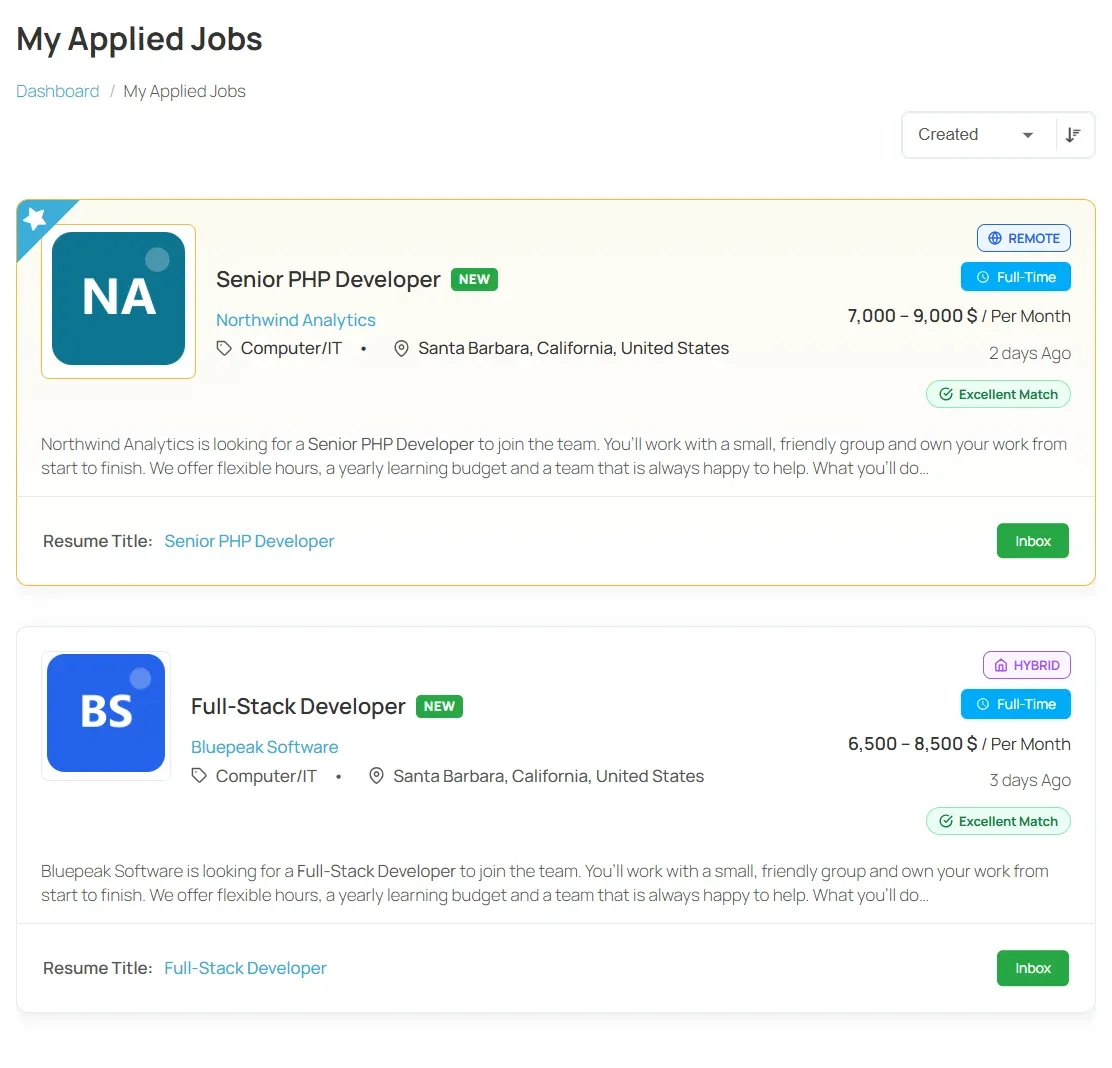
Sort the list
Section titled “Sort the list”- Open the list at the top of the page, which starts at Default.
- Choose what to sort by: Job Title, Company Name, Location, Status, Job Type, Created or Salary.
- Select the arrow next to the list to switch between ascending and descending order.
See where your application stands
Section titled “See where your application stands”On some sites, each application also shows what the employer has done with it:
| Status | What it means |
|---|---|
| Inbox | The employer has received your application. |
| Short List | The employer has shortlisted you. |
| Hired | The employer has hired you for this job. |
| Rejected | The employer has turned the application down. |
| Spam | The employer has marked the application as spam. |
If you see no status, the site does not share it. Ask the employer directly, or wait to be contacted. With Pro, employers can contact you through Messages.
Applications waiting for payment
Section titled “Applications waiting for payment”With Marketplace, a site can charge for each application. If you applied but have not paid yet, the application shows Make Payment. Select it to pay and complete the application.
What you can’t do here
Section titled “What you can’t do here”You can’t withdraw an application or change the resume you sent from this page. If you need to, contact the employer or the site owner.
Applications you made on an employer’s own website, through a job’s external apply link, are not listed.