

Job alerts
A job alert emails you new jobs that match what you are looking for, so you don’t have to keep checking the site. You set it up once and it keeps running until you unsubscribe.
Set up a job alert
Section titled “Set up a job alert”-
On your dashboard, select Job Alert in the menu.
-
On Job Alert Info, fill in the form. Each site chooses its own fields; these are the usual ones:
Field What to enter Your Name Your name, for the emails. Email Where the alerts go. Category The kind of job you want. Keywords Words to look for in the jobs, such as “nurse night shift”. City One or more cities to limit the alert to. Zip Code Your zip or postal code. Frequency How often you get the email. See below. Some sites also ask for Job Type, Workplace Type (On-site, Hybrid or Remote), Company or Tags, or have a Yes, mark as Urgent box to get only urgent jobs.
-
If the form shows a captcha, complete it.
-
Select Save Job Alert.
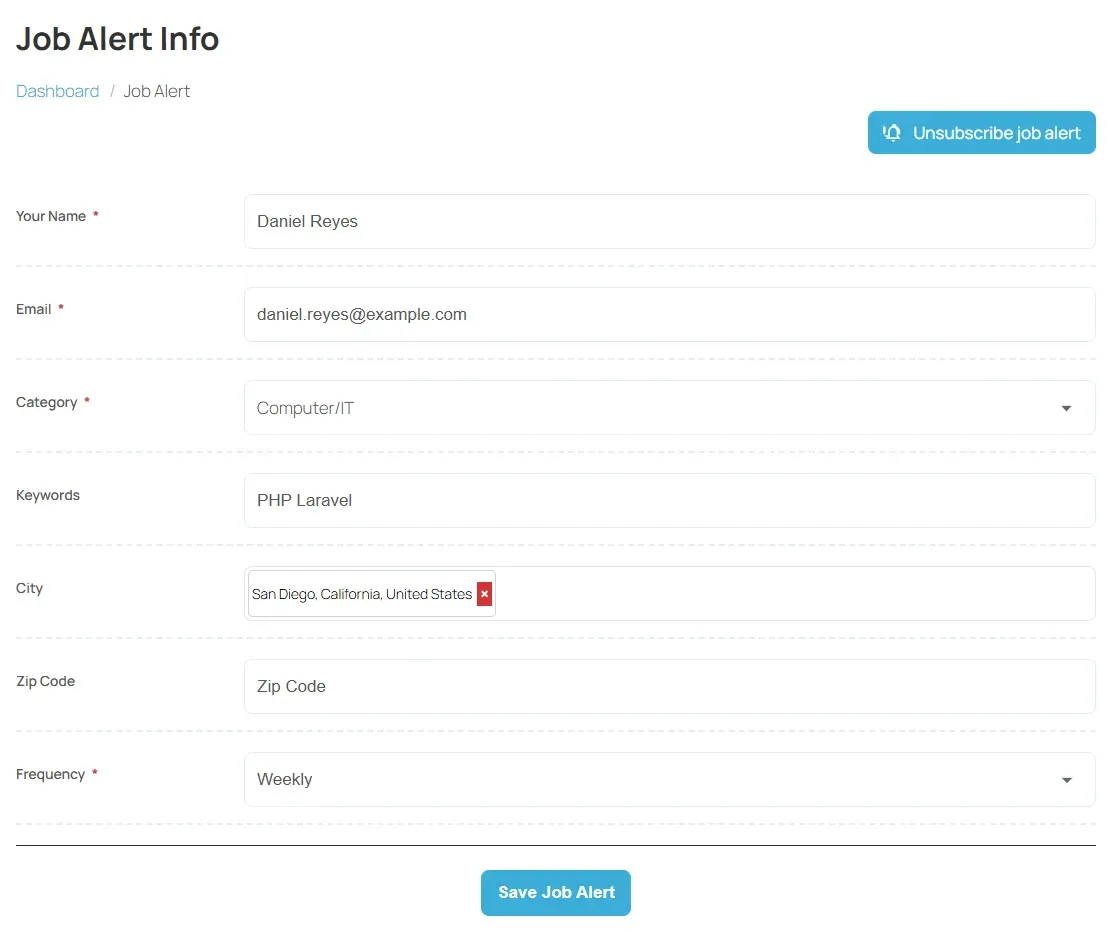
Each email address can have one job alert. If you see “already exist” when you save, an alert already uses that address: change the existing alert instead.
How often alerts arrive
Section titled “How often alerts arrive”Choose one of the options under Frequency:
| Frequency | When you get an email |
|---|---|
| Weekly | Once a week, with the matching jobs posted that week. |
| Daily | Once a day. With Pro. |
| Monthly | Once a month. With Pro. |
| Instant (As soon as job is posted) | As soon as a matching job is published. With Pro. |
The list only shows the options your site offers. On the free job board that is Weekly.
Change your job alert
Section titled “Change your job alert”- Open Job Alert from the dashboard again. The form shows what you saved.
- Change what you need.
- Select Save Job Alert.
Stop your job alert
Section titled “Stop your job alert”- Open Job Alert from the dashboard.
- Select Unsubscribe job alert at the top of the page.
- Confirm.
This deletes the alert. To get alerts again, set up a new one.
If no emails arrive
Section titled “If no emails arrive”- Some sites check each new alert before it starts. Until then, no emails are sent. The Unsubscribe job alert button only appears once your alert is active.
- An email only goes out when there are new jobs that match. If your alert is very narrow, try fewer fields or a wider category.
- Check your spam folder.