

Letting visitors post jobs
Visitor job posting lets someone post a job without creating an employer account. It suits boards where employers post once and won’t come back, such as local or community boards.
Turn on visitor job posting
Section titled “Turn on visitor job posting”- Open WP Job Portal → Configurations → Visitors.
- In General Permissions, turn on Visitor Can Post Job.
- Choose a Visitor Job Post Redirect Page. This is where a visitor goes after posting.
- Select Save.
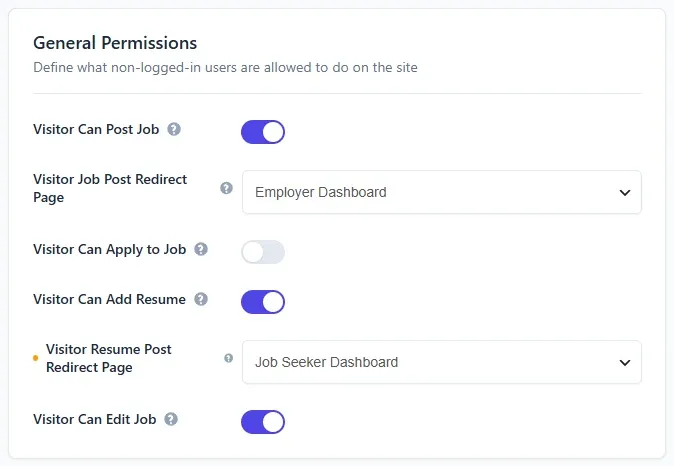
In Careers & ATS mode, Visitor Can Post Job is locked off.
A visitor who opens the add-job page now sees the visitor job form instead of a login prompt.
What the visitor fills in
Section titled “What the visitor fills in”The form uses your job fields from the field manager. If the job’s company field is required, the visitor also fills in a short company form, including a logo. The company is saved with your company auto-approve setting.
If the visitor gives no closing date, the job stays open for two years.
Stop spam
Section titled “Stop spam”Turn on Captcha on Visitor Job Form in Captcha Options on the Security & Captcha tab. See Security and captcha.
Approving visitor jobs
Section titled “Approving visitor jobs”A visitor’s job is saved with your job auto-approve setting. If jobs need approval, visitor jobs wait in the approval queue like any other. See Approving jobs.
If the job is approved straight away, an email about it is sent to the contact email on the company the visitor entered.
Visitor jobs don’t belong to any user account, so they don’t appear in an employer’s My Jobs.
Charging visitors
Section titled “Charging visitors”Visitor jobs are not charged. The visitor form has no payment step, and Per Listing prices and packages only apply to signed-in users. To charge for every job, leave Visitor Can Post Job off so that posters must register as employers.