

Registering as an employer
You need an employer account to add your company, post jobs and see who applied. Signing up takes a minute, and you are taken straight to your employer dashboard afterwards.
Create an employer account
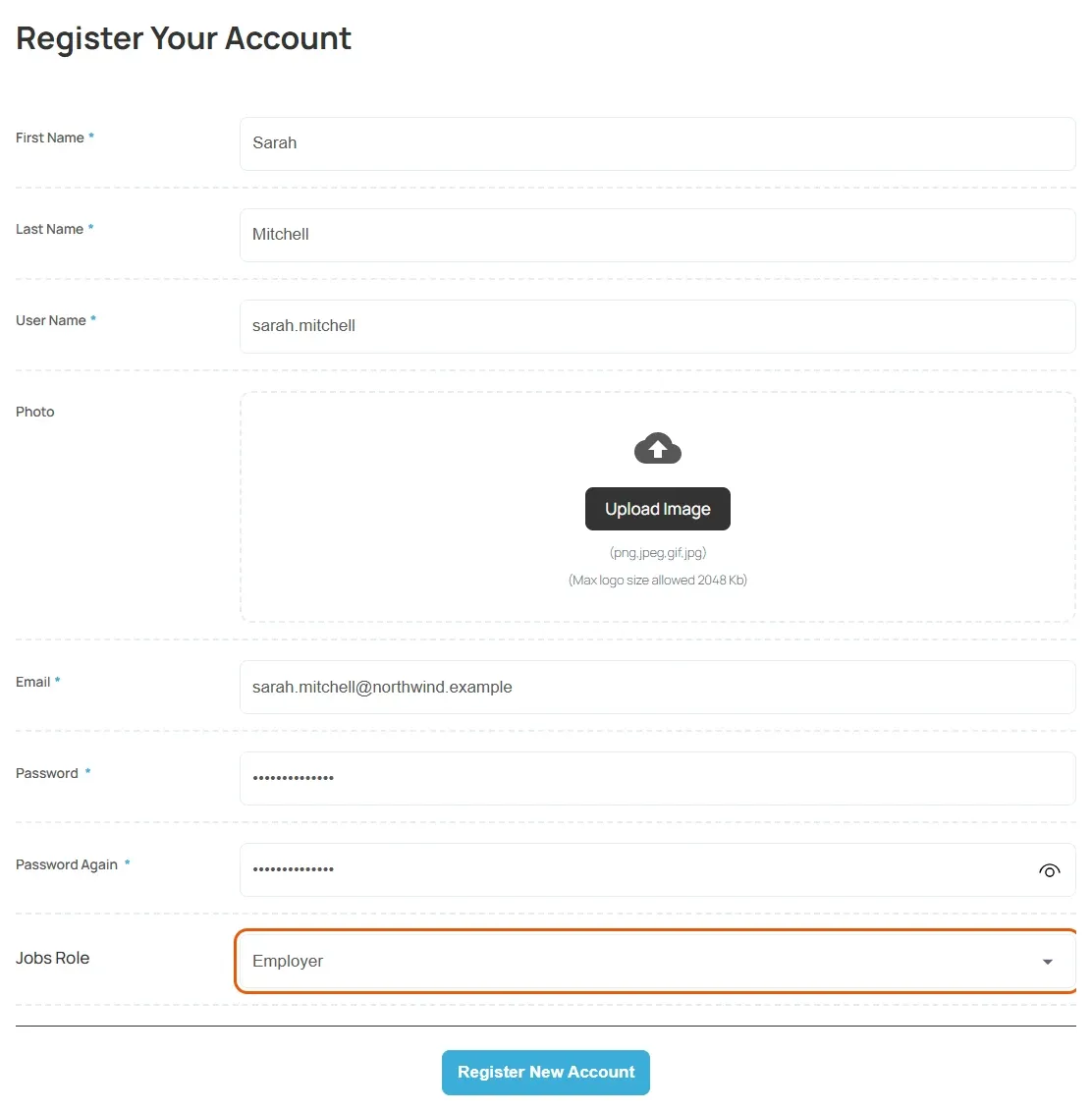
Section titled “Create an employer account”- On the job board, open the registration page. If you are on the employer dashboard, select Register in the Welcome, Visitor! banner.
- Fill in the form. Fields marked with
*are required. - In Jobs Role, choose Employer. Some job boards fill this in for you and hide the field.
- If a captcha is shown, complete it.
- Select Register New Account. The button may have a different label on some job boards.
You are signed in and taken to your employer dashboard.
The form usually asks for:
| Field | Notes |
|---|---|
| First Name and Last Name | Your own name, not your company’s. |
| User Name | The name you log in with. If the job board does not require it and you leave it empty, your email address becomes your user name. |
| Photo | An optional picture for your profile. |
| Must not already be registered on the site. | |
| Password and Password Again | Type the same password twice. |
| Jobs Role | Employer or Job seeker. Choose Employer. |
The job board decides which fields appear, so yours may differ.
If you cannot choose Employer
Section titled “If you cannot choose Employer”- If Jobs Role shows only Job seeker, this job board does not let employers sign up themselves. Contact the job board to ask for an employer account.
- If you see Registration is disabled by admin, the job board is not accepting new accounts at the moment.
- If you see Registration is not available yet, the job board has not finished setting up sign-up. Contact the job board.
Already have an account on the site
Section titled “Already have an account on the site”If you already have an account on the website (for example from its shop or blog) but have never used the job board, log in and open the employer dashboard. You are asked Are you new in the job board:
- Under Please select your role, choose the employer option, which reads Employers add companies and jobs, and search for candidates to hire.
- Select Submit.
Log in
Section titled “Log in”- Open the job board’s login page, or select Login in the Welcome, Visitor! banner.
- Enter your Username and Password.
- Tick Keep me logged in if you are on your own device.
- Select Login.