

The job seeker dashboard
The dashboard is your home page on the job board. From it you reach your resume, your applications, saved jobs and job alerts, and you see the newest jobs at a glance.
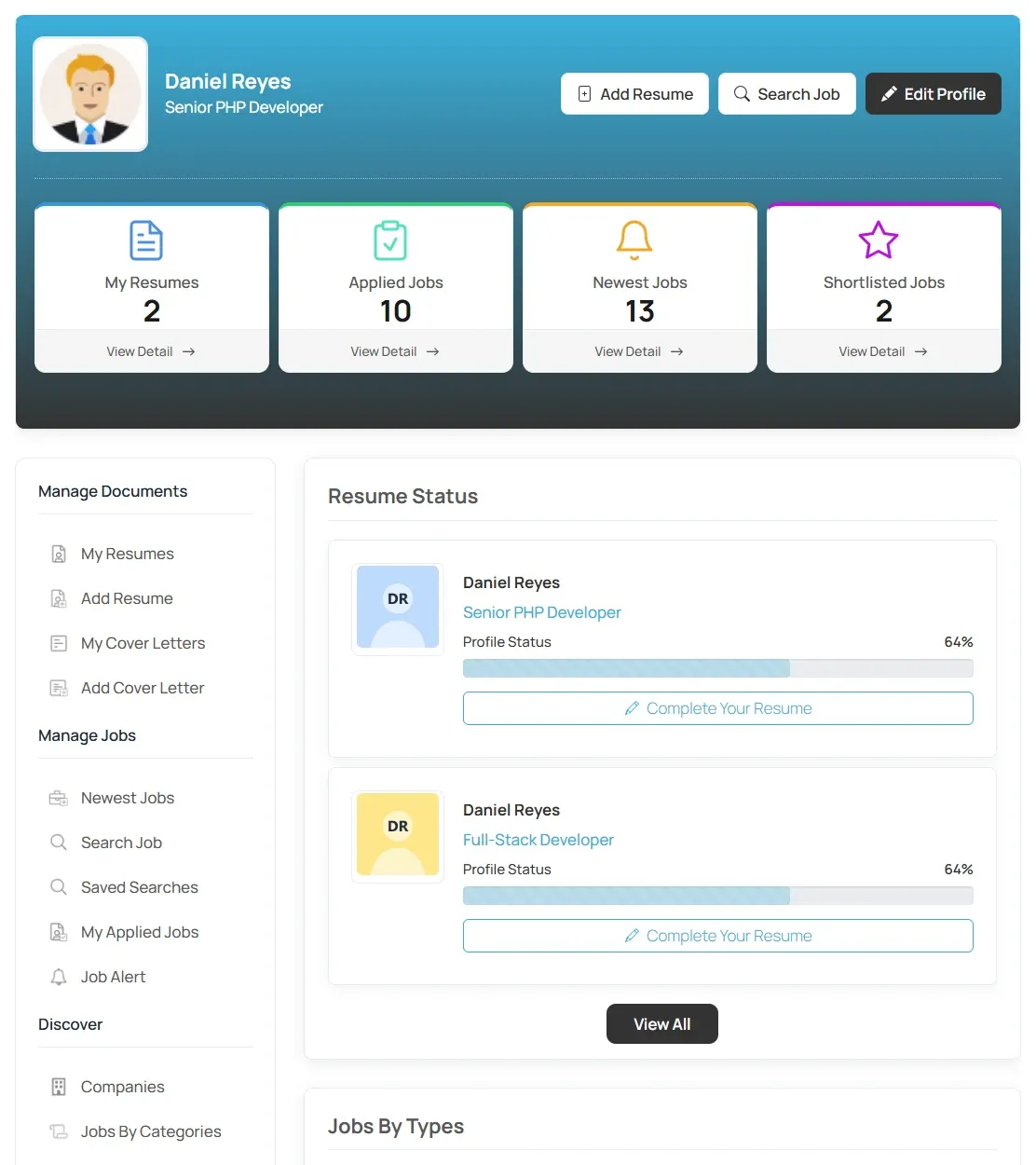
The top of the page
Section titled “The top of the page”The top shows your profile picture and name, with three buttons:
- Add Resume: opens the resume form. See Building a resume.
- Search Job: opens the job search form.
- Edit Profile: change your name and photo.
Next to it are count boxes. Each has a View Detail link to the full list.
| Box | What it counts |
|---|---|
| My Resumes | Your resumes. |
| Applied Jobs | Jobs you have applied for. |
| Newest Jobs | Recently posted jobs. |
| Shortlisted Jobs | Jobs you have saved to your shortlist. |
The menu
Section titled “The menu”The Short Links menu on the left is grouped into sections. You only see the links the site has turned on.
| Section | Links |
|---|---|
| Manage Documents | My Resumes, Add Resume (or Edit Resume once you have one), Short Listed Jobs. With Pro: My Cover Letters and Add Cover Letter. |
| Manage Jobs | Newest Jobs, Search Job, Saved Searches, My Applied Jobs, Job Alert. |
| Discover | Jobs By Categories, Jobs By Types, Jobs By Cities. With Marketplace: Companies. |
| Account & Billing | With Pro: Messages. With Marketplace: Packages, My Packages, My Subscriptions, Invoices. |
| System | Job RSS, and Login or Logout. Visitors also see Register. |
The main area
Section titled “The main area”Below the counts, the dashboard shows:
- Jobs By Types: a chart of jobs on the site by month, split by job type.
- Jobs Applied Recently: your latest applications, with the resume you sent. View All opens My Applied Jobs.
- Newest Jobs: the latest jobs on the site. View All opens the full list.
Some sites show more:
- Resume Status (with Pro): how complete each resume is, with a link to finish it.
- Suggested Jobs (with Smart Search & Matching): jobs picked to match your resume. See Suggested jobs and resumes.
- Invoices (with Marketplace): your recent invoices.
- Recruitment updates (with Recruit Suite): counts of open requests, upcoming interviews, offers and unread updates from employers, with Open Recruitment Center. The menu then also has a Recruitment section.
If you are not signed in
Section titled “If you are not signed in”Visitors see a “Welcome, Visitor!” banner asking them to log in or register, with Login and Register buttons. See Registering as a job seeker.