

RSS feeds
WP Job Portal can publish your jobs as an RSS feed, so people can follow new jobs in a feed reader and other sites can pull them in. There is a resume feed as well, for employers. Both are part of the free plugin.
The feeds
Section titled “The feeds”| Feed | Address | What it lists |
|---|---|---|
| Jobs | /feed/wpjobportal_jobsfeed/ |
Approved jobs that are currently published, newest first, up to 50. |
| Resumes | /feed/wpjobportal_resumesfeed/ |
Approved resumes that their owners have made searchable. |
The addresses are relative to your site, for example https://example.com/feed/wpjobportal_jobsfeed/. With plain permalinks, use ?feed=wpjobportal_jobsfeed instead.
When a feed is turned on, WP Job Portal also adds a link to it in your pages’ HTML, so browsers and feed readers can find it.
Who can read the resume feed
Section titled “Who can read the resume feed”The resume feed only lists resumes to logged-in employers and administrators. Anyone else gets an empty feed. Resume files are not attached to feed items by default.
Turn the feeds on
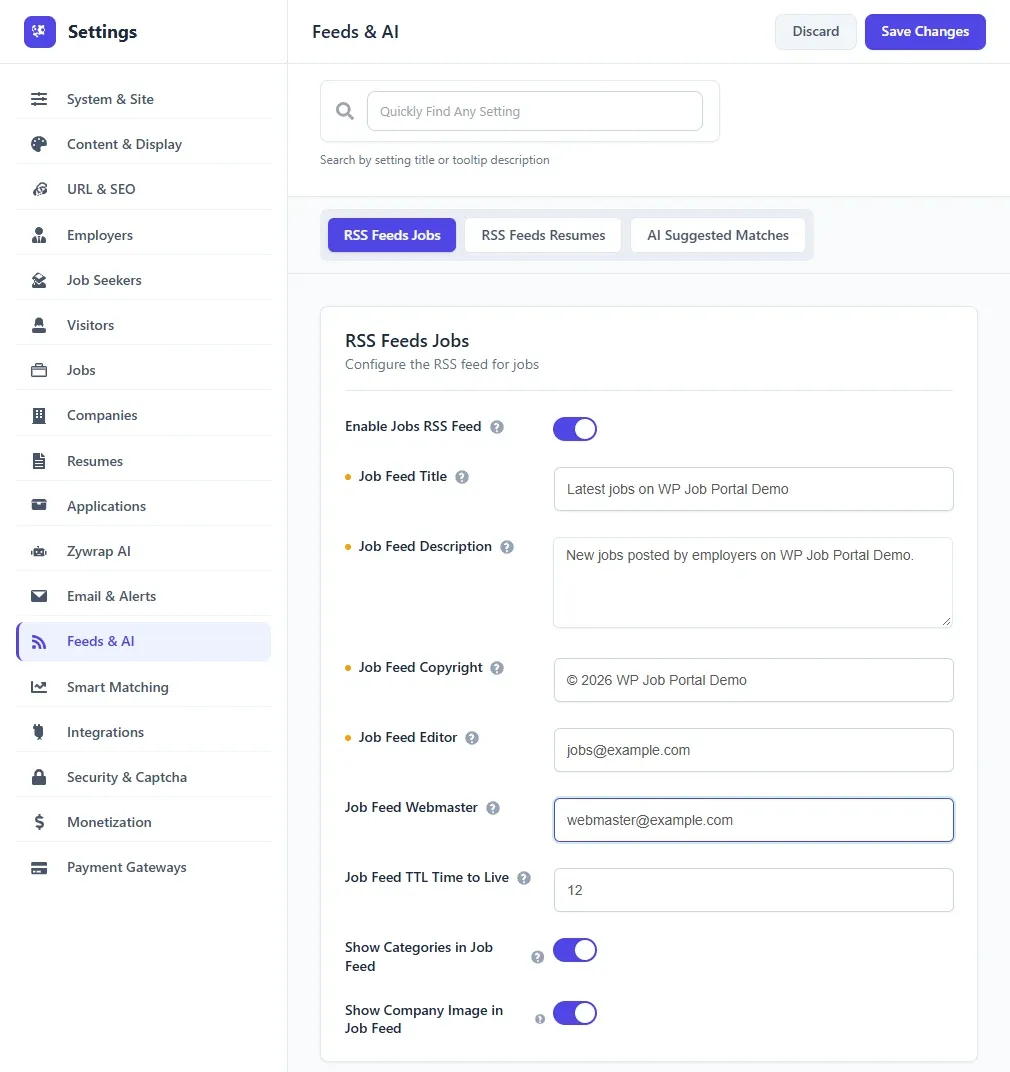
Section titled “Turn the feeds on”- Open WP Job Portal → Configuration and the Feeds & AI tab.
- Under RSS Feeds Jobs, set Enable Jobs RSS Feed to Show.
- Under RSS Feeds Resumes, set Enable Resumes RSS Feed to Show if you want the resume feed.
- Save the settings.
While a feed is set to Hide, its address returns an empty feed.
Feed settings
Section titled “Feed settings”Each feed has the same kind of settings. The job feed’s are listed here; the resume feed’s start with Resume Feed instead of Job Feed.
| Option | What it does |
|---|---|
| Job Feed Title | The feed’s name in feed readers. |
| Job Feed Description | The feed’s description. |
| Job Feed Copyright | A copyright notice. Leave blank to leave it out. |
| Job Feed Editor | The person responsible for the content. Leave blank to leave it out. |
| Job Feed Webmaster | The person responsible for technical issues. Leave blank to leave it out. |
| Job Feed TTL Time to Live | How many minutes a reader may cache the feed before checking again. |
| Show Categories in Job Feed | Adds each job’s category to its feed item. |
| Show Company Image in Job Feed | Adds the company logo to each job. |
The resume feed has Show Resume File in Resume Feed instead of the company image option. Resume files are only attached when a developer has also allowed it with the wpjobportal_rss_resume_include_file_enclosures filter.
Links on the dashboards
Section titled “Links on the dashboards”Two settings show a feed link on the user dashboards:
- Show Jobs RSS Link adds a Job RSS link to the job seeker control panel (Job Seekers settings).
- Show Resume RSS Link adds a Resume RSS link to the employer control panel (Employers settings).
Each link only appears while its feed is turned on.