

Adding a company
Every job on the job board belongs to a company, so add your company before you post your first job. Job seekers see your company profile on each of your jobs.
Add your company
Section titled “Add your company”- On your employer dashboard, open Short Links → Add Company.
- Fill in the form. Fields marked with
*are required. - Add your logo (see below).
- If the form shows a terms and conditions box, tick it.
- Select Save Company.
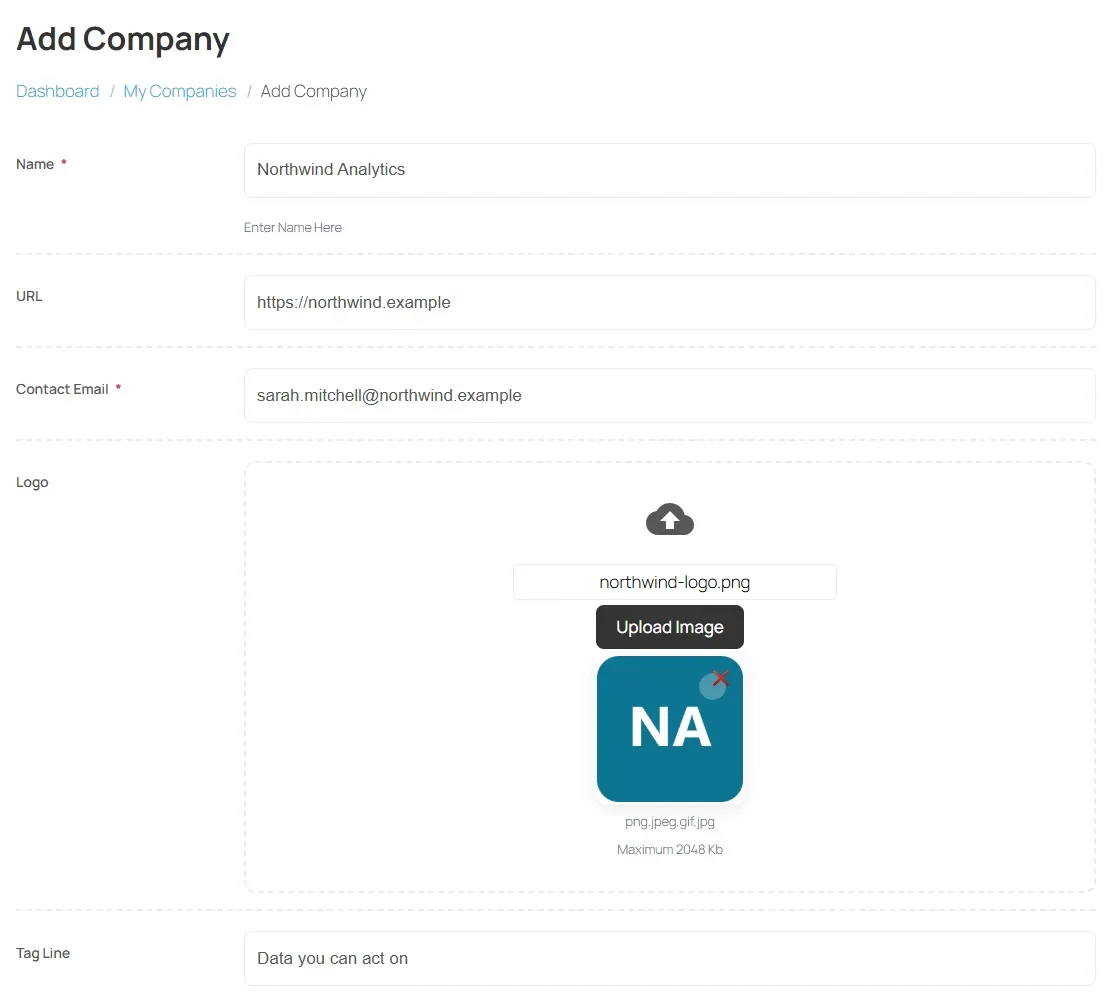
The form usually includes:
| Field | Notes |
|---|---|
| Name | Your company’s name, as job seekers will see it. |
| Tag Line | A short line under the name. |
| Contact Email | Where the job board can reach the company. It starts with your account’s email. |
| URL | Your company website. |
| Description | What the company does, and why someone would want to work there. |
| City, Address1, Address2 | Where the company is. |
| Logo | Your company logo. |
The job board decides which fields appear and which are required, so your form may differ.
- Under Logo, select Upload Image.
- Choose the image file.
The help text under the field shows the largest file size allowed, for example Maximum 2048 Kb, and the image types the job board accepts. To remove the logo, select the cross on the preview.
Approval
Section titled “Approval”Some job boards publish a new company at once; others check it first.
| What you see in My Companies | What it means |
|---|---|
| Edit Company and Delete Company buttons | The company is approved and live. |
| Waiting For Approval | The job board is reviewing it. |
| Rejected | The job board did not approve it. Contact the job board to ask why. |
| Proceed To Payment | The job board charges for companies. Pay to publish it. |
Manage your company
Section titled “Manage your company”Open My Companies from the dashboard. Each company has:
| Button | What it does |
|---|---|
| View Company | Opens the company profile as job seekers see it. |
| View All Jobs | Lists the company’s open jobs. |
| Edit Company | Opens the form again. |
| Delete Company | Removes the company after you confirm. |
On most job boards an employer has one company: once it exists, the dashboard link reads Edit Company instead of Add Company. Job boards that allow several companies show Add New Company in My Companies.