

Cron jobs
Some work happens in the background rather than when someone clicks a button: sending job alerts, cleaning up old data. WP Job Portal schedules this work with WordPress Cron. On most sites that is all you need. On a quiet site, or one where WordPress Cron is turned off, you can trigger job alerts from a real server cron instead.
The scheduled tasks
Section titled “The scheduled tasks”| Task | How often |
|---|---|
| Job alert delivery | Daily. Sends daily, weekly and monthly job alerts that are due. |
| Session cleanup | Daily. Removes expired session data. |
| Privacy retention cleanup | Daily. Removes old activity history, messages and audit entries, as set in System Status. |
| Licence check | Daily. Checks your product licences. |
| Notification queue worker | Only when the reliable email queue is on and has mail waiting. |
Instant job alerts (Pro) don’t wait for the daily task: each published job starts its own background run.
To see when each task runs next, open WP Job Portal → System Status and look under Scheduled tasks and mail. See System status and errors.
Why WordPress Cron may not be enough
Section titled “Why WordPress Cron may not be enough”WordPress Cron only runs when someone loads a page on your site. If nobody visits for a day, nothing runs that day. And if your host or your wp-config.php sets DISABLE_WP_CRON, it never runs on its own. System Status then shows WordPress Cron as “Disabled; a real server cron is required.”
Run job alerts from a server cron
Section titled “Run job alerts from a server cron”WP Job Portal gives you a private address that sends job alerts when it is opened. You call that address from your host’s cron, or from an online cron service.
- Open WP Job Portal → Configuration → Cron Job.
- Choose the tab that matches how you’ll run it:
| Tab | Use it for |
|---|---|
| Webcrown.org | Step-by-step values for the Webcron.org service. |
| Wget | A ready-made wget command, for most hosts’ cron screens. |
| CURL | A ready-made curl command. |
| PHP Script | A short PHP snippet that calls the address. |
| Website | The bare address, for any other service or your own scripts. |
- Copy the command or address.
- In your hosting control panel’s cron screen, or in the cron service, create a job that runs it. Once a day is enough for daily, weekly and monthly alerts.
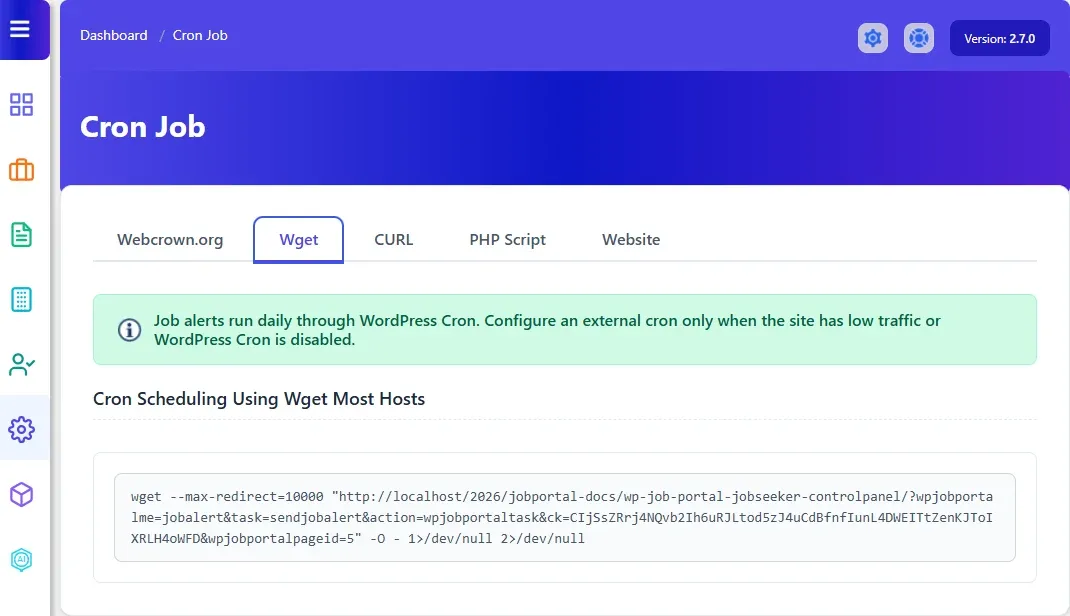
The address contains a secret key unique to your site. Keep it private: anyone with the address can trigger a job alert run.
What the address returns
Section titled “What the address returns”| Message | Meaning |
|---|---|
| Job alerts processed. | The run finished. |
| A job alert run is already in progress. | Another run was still going; nothing was sent this time. |
| Invalid job alert cron secret. | The key in the address is wrong. Copy the address again from the Cron Job screen. |
| Job alerts could not be processed. | The run failed. Check WP Job Portal → System Errors. |