

Reviewing applicants
Every application to your job lands on the job’s applicant list. From there you open each person’s resume and, depending on your job board, shortlist them, message them or file them in a folder.
See who applied
Section titled “See who applied”- On your employer dashboard, open Short Links → My Jobs.
- On the job, select Resume (n). The number is how many people applied.
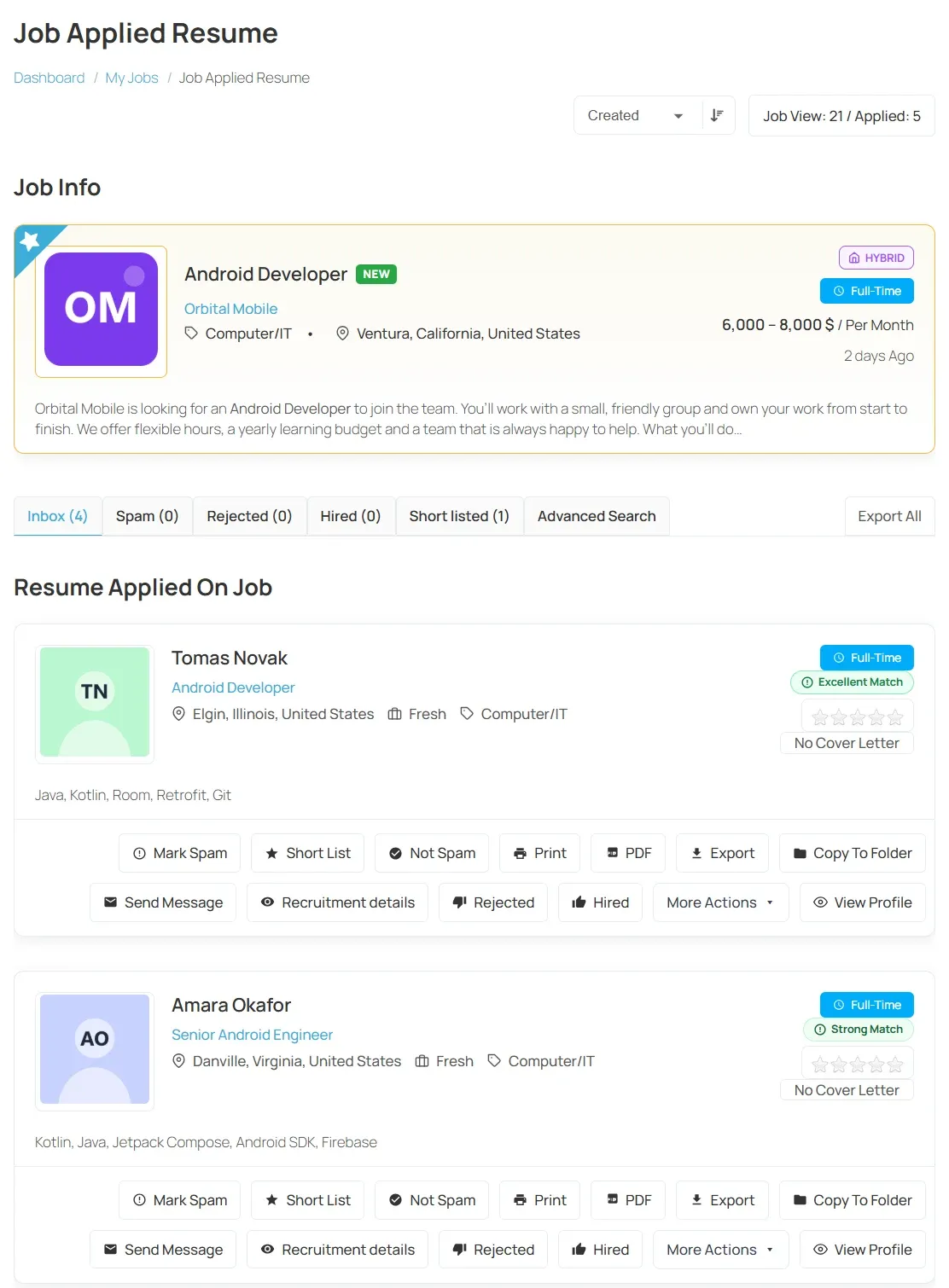
The Job Applied Resume page opens. Job Info at the top repeats the job’s details. Resume Applied On Job below lists the applicants.
Sort the list
Section titled “Sort the list”Use the sort list at the top right to order applicants by Application Title, First Name, Category, Job Type, Location or Created. Select the arrow next to it to reverse the order.
Open an applicant’s resume
Section titled “Open an applicant’s resume”On the applicant, select View Profile. The applicant’s full resume opens.
More actions
Section titled “More actions”Each applicant also has a More Actions list. What it contains depends on your job board. On job boards with resume actions (see below), these actions are buttons on the applicant instead:
| Action | What it does |
|---|---|
| Prints the resume. | |
| Copy To Folder | Files the resume in one of your folders. See Folders. |
| Send Message | Writes to the applicant. See Messages. |
| Export | Downloads the resume. |
Where Export All appears above the list, it downloads every applicant’s resume for the job in one go.
Shortlist and sort applicants into groups
Section titled “Shortlist and sort applicants into groups”On job boards with resume actions, the list gains tabs: Inbox, Short listed, Spam, Hired and Rejected, each with its count. New applicants arrive in Inbox.
On the applicant, select Short List, Hired, Rejected or Mark Spam. The applicant moves to that tab.
Other actions on the applicant:
| Action | What it does |
|---|---|
| Not Spam | Moves an applicant back out of Spam. |
| Add Note | Keeps a private note on the applicant. |
| Email Candidate | Sends the applicant an email. |
| View Details | Shows the application’s details. |
Add Note, Email Candidate and View Details are in the More Actions list.
Advanced Search next to the tabs filters applicants, for example by gender or other resume details.